How to track competitors: website changes, hiring, ads and launches
A channel-by-channel guide to tracking competitors' website changes, pricing, hiring, ads, trademarks and launches, with free methods and a weekly checklist.
Short answer
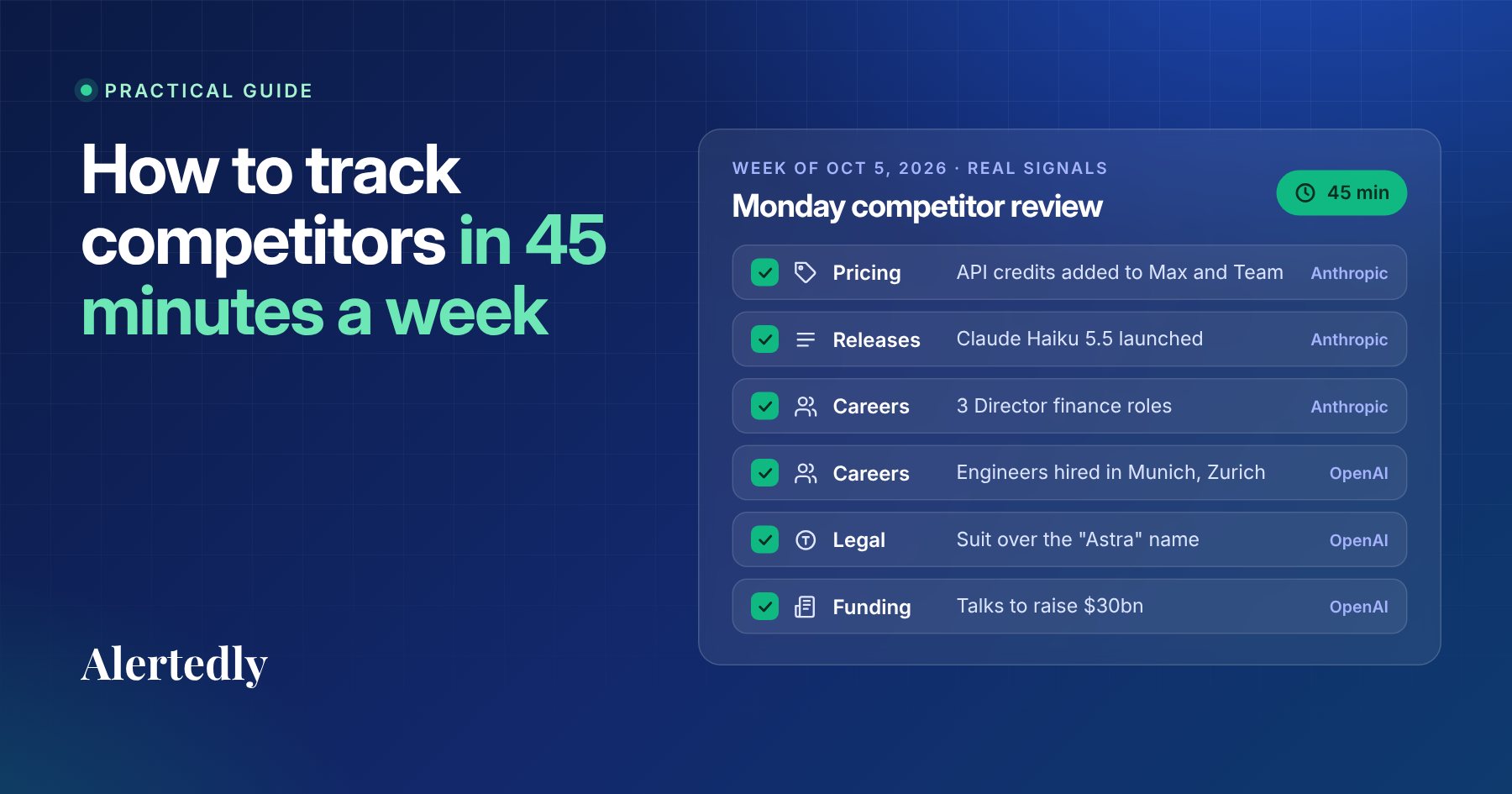
Rank 3 to 5 direct competitors, then check the same sources for each one every week: pricing page, homepage, changelog, careers page, Meta's Ad Library, USPTO trademark filings and news alerts. Write one line per competitor (what changed, why it matters, what you'll do), date it and share it. For a handful of competitors this takes about 45 minutes a week.
On this page
- Quick start: five steps
- Start with a short, ranked list
- The channels that matter, and how to watch each one
- 1. Pricing page
- 2. Homepage and key landing pages
- 3. Changelog, docs and blog
- 4. Careers page
- 5. Ads
- 6. Trademark filings
- 7. News, social media and community
- What free tools can and can't do
- A weekly routine that takes 45 minutes
- Example: a completed weekly record
- Turning signals into decisions
- Where automation helps
- Checklist
- FAQ
- Sources
Key takeaways
- Track competitors weekly, across channels, and write down what changed. A consistent dated record beats occasional deep dives.
- The highest-signal sources are the pricing page, homepage, changelog, careers page, Meta ads and USPTO trademark filings.
- Hiring shows where a company is investing next; intent-to-use trademark filings can name a product before it is announced.
- The tools are free (Google Alerts, the Wayback Machine, Meta's Ad Library, USPTO Trademark Search); the cost is your time and keeping the record yourself.
- Turn observations into decisions with one line per competitor: what changed, the evidence, why it matters, what we'll do.
Tracking competitors well is less about clever tools than about consistency. The teams that are never surprised by a competitor's launch aren't the ones with the biggest research budget. They look at the same handful of sources every week and write down what changed.
This guide covers what to watch, how to watch each source for free, what each signal usually means, and a weekly routine that takes about 45 minutes. At the end we show where automation saves time, including the service we build, Alertedly.
Quick start: five steps
- Pick 3 to 5 direct competitors you meet in deals or lose customers to.
- Bookmark the same sources for each: pricing page, homepage, changelog, careers page, their page in Meta's Ad Library, and a USPTO Trademark Search for their name. Add a Google Alert for each name.
- Block 45 minutes, the same day every week, to open every bookmark.
- Write one dated line per competitor: what changed, the evidence (a link or screenshot), why it matters, and what you'll do. Write "no change" when nothing changed.
- Share it in one Slack channel or email, and tag whoever each change affects.
The rest of this guide explains each source and how to read it.
Start with a short, ranked list
Before collecting anything, decide who you're tracking and why. A useful list has three tiers:
- Direct competitors (3–5): the companies you meet in deals or lose customers to. Track every channel, every week.
- Adjacent players (2–5): companies that could move into your space, or that sell to the same buyer. Track the high-signal channels.
- New entrants: a running list of names you've seen recently. Check monthly and promote them if they keep showing up.
Beyond 10 to 15 companies, a manual routine gets hard to keep up. Many teams track more: in Crayon's 2026 State of Competitive Intelligence report, the largest group of teams tracks 11 to 30 competitors.1 If that's you, keep the full routine for your top five and use the tiers for the rest.
The channels that matter, and how to watch each one
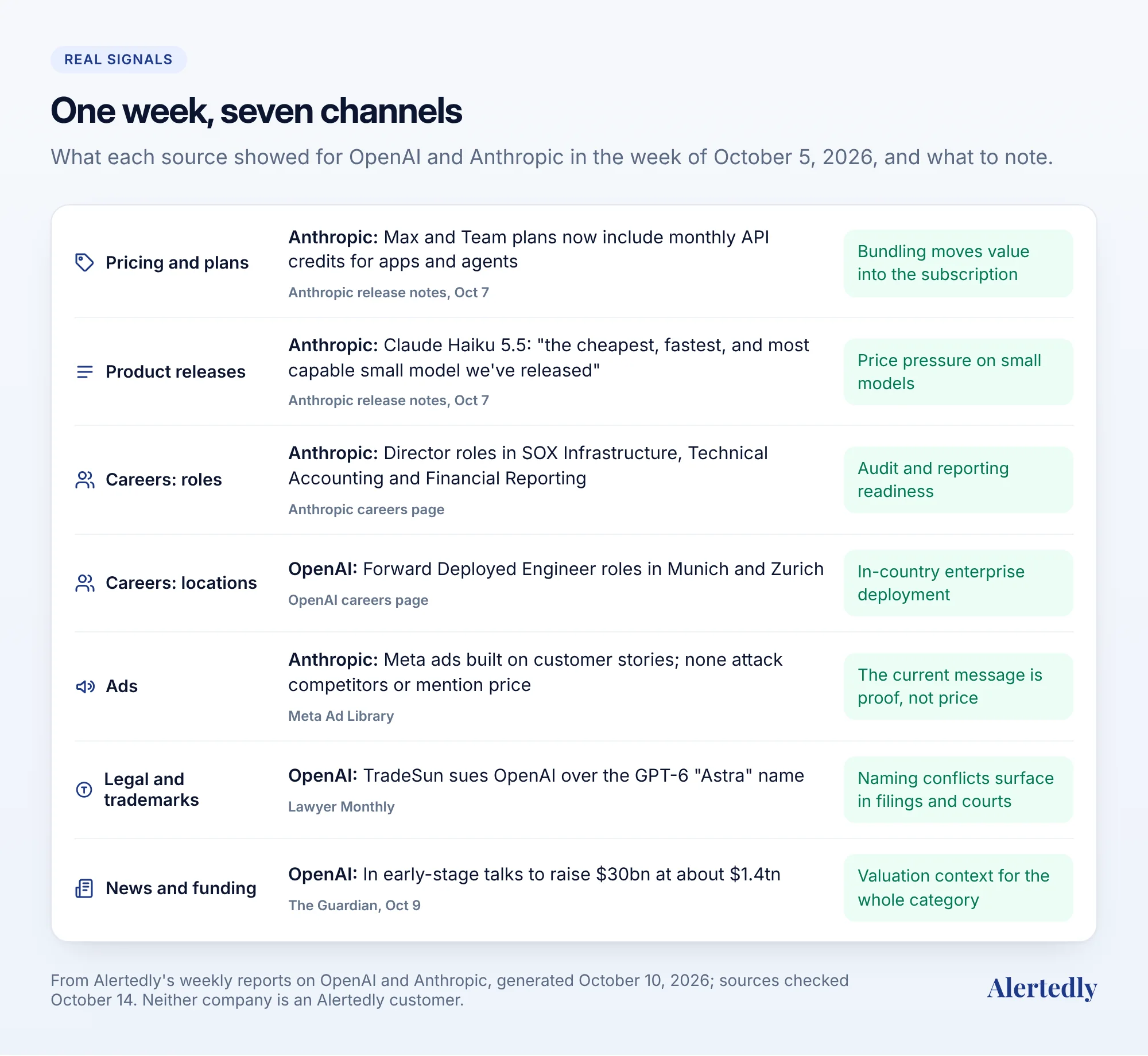
Not every source deserves equal attention. Here they are roughly in order of signal per minute spent. To make it concrete, here's what each one showed for two well-known companies, OpenAI and Anthropic, in a single week.
1. Pricing page
The pricing page is where strategy becomes visible. A move from per-seat to usage-based pricing, a new free tier, a removed plan or an "enterprise" tier that suddenly lists features you sell are all decisions made by leadership.
How to watch it: add the URL to a page-change monitor, or take a dated screenshot every week. To see what it looked like in the past, look the URL up in the Wayback Machine, and use Save Page Now to capture today's version at a permanent, dated URL.2
What to note: plan names, prices, limits, which features moved between plans, and the call to action. "Start free" versus "Book a demo" signals a shift between product-led and sales-led selling.
2. Homepage and key landing pages
The headline on a competitor's homepage is the most compressed statement of what they think they're selling and to whom. Changes are rare and meaningful.
What to note: the headline and subheadline, the audience named ("for startups", "for enterprise"), the logos shown, and new pages in the navigation. A new "Solutions for healthcare" item is a market entry announcement that nobody issued a press release for.
3. Changelog, docs and blog
The changelog tells you what actually shipped, which is often different from what the marketing says. Docs reveal integrations and limits. The blog shows which topics and buyers they're trying to reach.
How to watch it: many changelogs and blogs publish an RSS feed; subscribe in a feed reader. Otherwise, bookmark them in a "competitors" folder and open them all at once during your weekly review.
4. Careers page
Job posts are the best leading indicator you can get for free. Companies hire before they build, and a role description often says what the team will work on.
How to watch it: most startups list roles on their careers page, usually backed by an applicant tracking system with a public job board. Count open roles by department each week and read new descriptions in full.
How to read it:
- A cluster of engineering roles with the same keyword ("payments", "mobile", "AI agents") usually means a product area is getting serious investment.
- First sales hires in a new region suggest expansion there.
- A new senior hire ("VP of Partnerships", "Head of Enterprise") often precedes a change in go-to-market.
- Roles disappearing without being filled, or a careers page going quiet for weeks, can mean a hiring freeze.
5. Ads
Paid ads show what a company is willing to spend money saying. Meta's Ad Library lets anyone search the ads a company is currently running across Facebook, Instagram and Meta's other apps, with the creative and copy.3
What to note: new campaigns, recurring angles (price, speed, a competitor comparison), offers and the landing pages ads point to. If a competitor starts running ads that name you, your sales team will want to know before the next call.
6. Trademark filings
This is the most underrated source. In the United States, a company can apply to register a trademark based on a "bona fide intention" to use it in commerce in the near future, before the product exists.4 New filings sometimes reveal a product name or a rebrand weeks or months ahead of an announcement.
How to watch it: search the company's name as the owner in the USPTO's Trademark Search system, which replaced the old TESS database in 2023.5 Note the mark, the filing date and the goods and services description, which often hints at the product category.
7. News, social media and community
- News: a Google Alert for each competitor's name and main product names catches press releases, funding and coverage. Set it to "at most once a week" so it lines up with your review.6
- LinkedIn and X: company posts reveal launches, customer wins, hiring pushes and events. Founders' personal accounts are often more candid than the company page.
- YouTube and TikTok: demos and launch videos show the product in more detail than screenshots.
- Reddit and review sites: what users actually say, including complaints you can address in your own positioning.
What free tools can and can't do
Every method above is free, but "free" means free to look, not free to keep. Be clear about the gaps before you rely on them:
- History is your job. The Wayback Machine only has the dates someone happened to capture. Meta's Ad Library keeps political and issue ads for seven years and EU-delivered ads for a year, but other commercial ads only appear while they're running.3 If you don't screenshot it this week, you may not be able to prove it next quarter.
- Alerts miss most changes. Google Alerts reports new search results, not edits to a pricing page, a new job post or a changelog entry.6
- Counting is manual. Nothing free tells you a competitor went from 14 open roles to 6. You have to count, every week, the same way.
- Coverage depends on discipline. A skipped week leaves a hole in the record that you only notice when someone asks "when did that change?"
None of this is a reason not to start. It's a reason to keep a dated record from day one.
A weekly routine that takes 45 minutes
Put a recurring 45-minute block in the calendar, the same day each week. Monday morning works well because it feeds the week's decisions.
- Collect (25 minutes). For each direct competitor, open the pricing page, homepage, changelog, careers page and ad library, and scan the week's alerts and social posts. For adjacent players, check pricing, careers and news only.
- Write it down (15 minutes). One dated line per competitor, using the record below. If nothing changed, write "no change". A blank row and a "no change" row mean different things three months later.
- Share (5 minutes). Post the summary in one Slack channel or email, and tag the people each change affects.
Example: a completed weekly record
Here's what good entries look like, using real changes from the week of October 5, 2026. The evidence column is what makes the record trustworthy months later. The last column is written as if you sold a competing AI product; yours will depend on your business.
| Week of | Competitor | What changed | Evidence | Why it matters | What we'll do |
|---|---|---|---|---|---|
| Oct 5 | Anthropic | Max and Team plans now include monthly API credits for apps and agents | Release notes, Oct 77 | Usage bundled into the subscription raises switching costs | Product: decide whether to bundle usage into our plans |
| Oct 5 | Anthropic | Claude Haiku 5.5 launched at $0.10 and $0.50 per million input and output tokens for shorter prompts; Reuters says it costs 75% less than Haiku 4.5 | Release notes, Oct 7; Reuters7 | Price pressure on small models | Pricing: review our entry tier before Q4 renewals |
| Oct 5 | OpenAI | Forward Deployed Engineer roles opened in Munich and Zurich | Careers page, saved Oct 148 | In-country enterprise deployment in Europe | Sales: brief the EU team on deployment support |
| Oct 5 | OpenAI | Reported in early-stage talks to raise $30bn at about $1.4tn | The Guardian, Oct 99 | More capital for pricing and hiring | Leadership: note it in the quarterly competitive review |
If you check a competitor and nothing changed, write "no change" in the row. A blank row and a "no change" row mean different things three months later.
Turning signals into decisions
Raw observations become useful when you connect them across channels and over time. A few patterns we see often:
- Hiring + changelog + trademark: new roles in an area, a beta feature in the changelog and a new trademark filing, all within a couple of months, is a launch in progress. Prepare your response before the press release.
- Pricing page + ads: a new low-priced plan followed by ads aimed at small teams means they're moving down-market, into your territory or away from it.
- Homepage + new senior hire: a new "for enterprise" headline plus a newly hired Head of Enterprise Sales is a go-to-market shift, not a copy tweak.
- Silence: no posts, ads or new roles for several weeks is a signal too. It can mean a pivot, trouble or a big launch being prepared.
- Finance hiring + news: in the week of October 5, 2026, Anthropic posted Director roles in SOX Infrastructure, Technical Accounting and Financial Reporting while Reuters described its IPO as planned. Each item alone is routine; together they're consistent with building public-company reporting.10
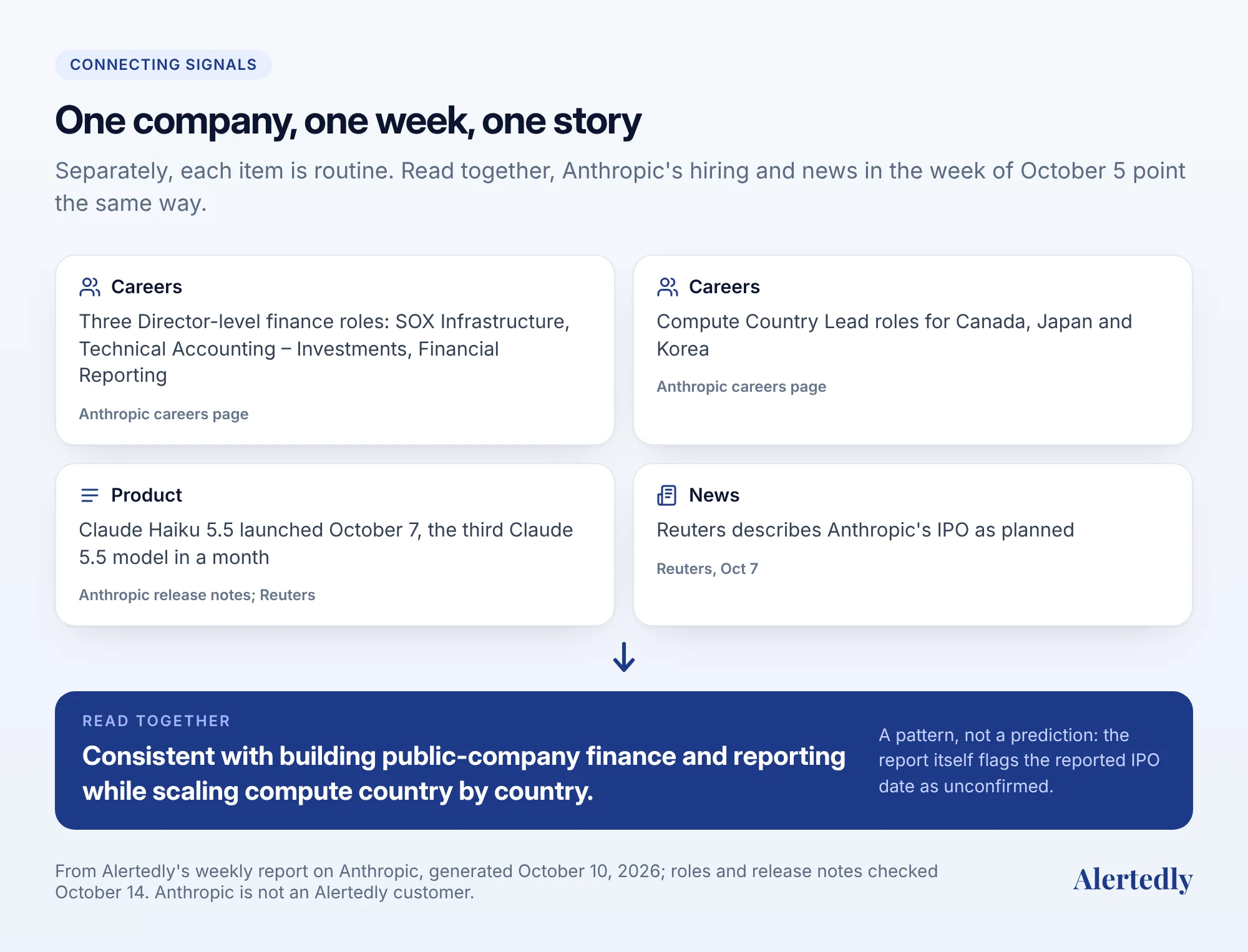
None of these patterns show up if you only look once. They show up when you keep a dated record and compare this week to last month. That's the strongest argument for a consistent routine over occasional deep dives.
Where automation helps
The manual routine works for a few competitors. It gets harder as the list grows, when the person who owns it goes on holiday, or when someone asks "when exactly did they change their pricing?" and the answer is in an old Slack thread.
Automation can help in two places:
- Speed on specific pages: a page-change monitor alerts you within minutes when, say, a pricing page changes. See our comparison of competitor monitoring tools for options and prices.
- The whole weekly routine: this is what Alertedly does. Every week it researches each company you track across 13 channels (everything in this guide: website changes with before-and-after screenshots, changelog, news, LinkedIn, X, Instagram, YouTube, TikTok, careers, Meta ads, Reddit and USPTO trademarks) and sends a brief per company with sourced signals and recommended moves. It keeps the history, so you can compare any two weeks, and you can ask Claude or ChatGPT about it through the MCP server.
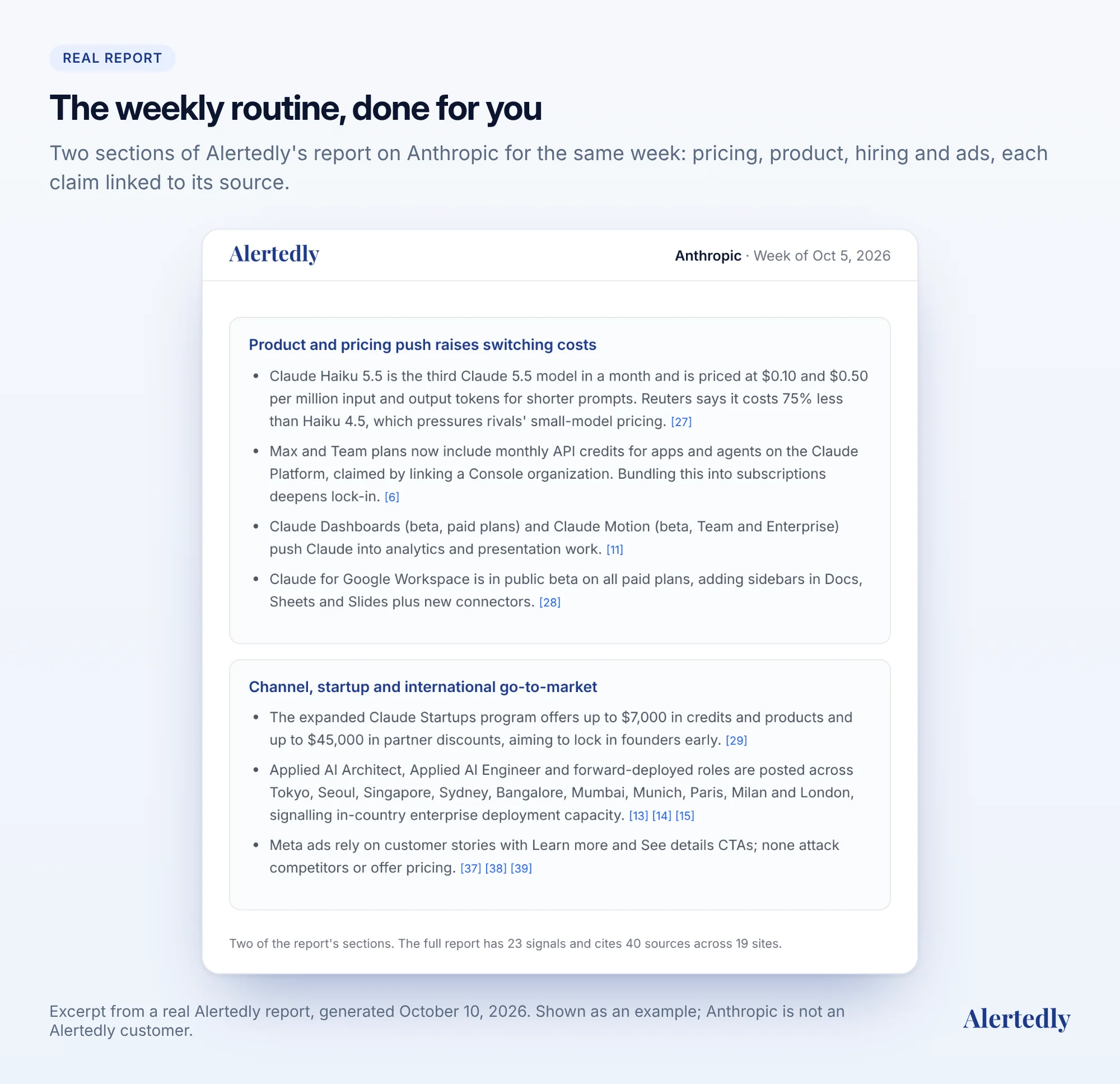
Careers, Meta ads, Reddit and trademarks are on the Pro plan ($499 a month for 15 companies); Starter ($199 a month for 5 companies) covers the other nine channels. See pricing, or try it free on one competitor and compare it with your manual notes.
Checklist
Copy this into your weekly calendar event:
- Pricing page: plans, prices, limits, call to action (screenshot it)
- Homepage: headline, audience, navigation
- Changelog, docs and blog: what shipped
- Careers: open roles by team, new senior roles (count them)
- Meta Ad Library: new campaigns and angles (screenshot them)
- USPTO Trademark Search: new filings
- News alerts, LinkedIn, X, YouTube, Reddit
- One dated line per competitor: what changed, evidence, why it matters, what we'll do
- Post the summary where the team will read it
Frequently asked questions
- How do I track changes to a competitor's website?
- Monitor the pages that carry strategy, mainly the pricing page and homepage, with a page-change monitor or a dated weekly screenshot. Use the Wayback Machine to see past versions, and capture today's version with Save Page Now so you have a dated record.
- How can I see what ads my competitors are running?
- Search the competitor's name in Meta's Ad Library to see the ads they currently run on Facebook, Instagram and Meta's other apps, including creative and copy. Commercial ads outside the EU aren't kept once they stop running, so screenshot anything you want to compare later.
- How do I find out what a competitor is building before they launch?
- Watch their careers page for clusters of new roles, their changelog and docs for early features, and USPTO Trademark Search for new filings. US applicants can file on an intent-to-use basis before a product is on the market, so new filings sometimes reveal product names early.
- How often should I check on competitors?
- Once a week is the right default for most teams. It's frequent enough to catch launches and pricing changes before they show up in deals, and infrequent enough to make it a habit rather than a distraction.
- Is it legal to monitor competitors?
- Monitoring public information such as websites, job posts, ads, press releases and public filings is a normal business practice. Don't misrepresent yourself to get non-public information, and respect websites' terms of service. If in doubt, ask your lawyer.
Sources
- The State of Competitive Intelligence 2026, Crayon, 2026. ↩
- Save pages in the Wayback Machine, Internet Archive Help Center. ↩
- Ad Library tools, Meta Transparency Center; Meta Ad Library, Meta. ↩
- Basis for filing a trademark application, United States Patent and Trademark Office. ↩
- Search our trademark database, USPTO; Trademark Search, USPTO. ↩
- Create an alert, Google Search Help. ↩
- Claude release notes, Anthropic, entries of 7 October 2026; Anthropic launches third Claude 5.5 model, Reuters, 2026. ↩
- Forward Deployed Engineer, Munich and Forward Deployed Engineer, Zurich, OpenAI careers, accessed 14 October 2026. ↩
- OpenAI projected to bring in $20bn less in revenue than expected, The Guardian, 9 October 2026. ↩
- Director, SOX Infrastructure, Director, Technical Accounting – Investments and Director, Financial Reporting, Anthropic careers, accessed 14 October 2026; Reuters, as above. ↩