Competitor monitoring tools in 2026: an honest comparison
The four kinds of competitor monitoring tools (free alerts, page monitors, enterprise CI platforms and weekly research services) compared, with real prices.
Short answer
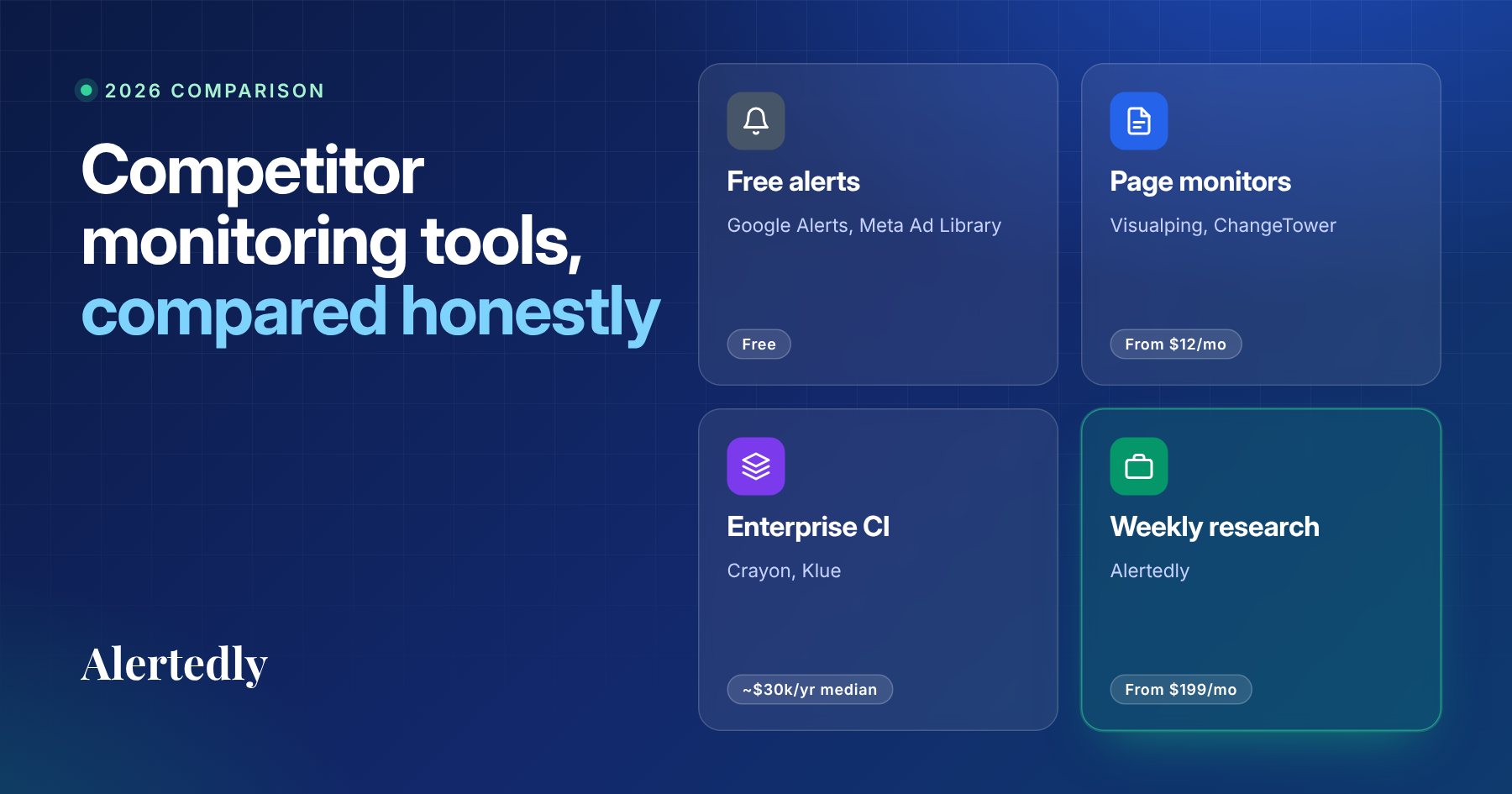
There is no single best competitor monitoring tool, because the category covers different jobs. Use Google Alerts and Meta's Ad Library (free) for news and ads, a page monitor such as Visualping or ChangeTower (paid plans from $12–14 a month) for fast alerts on specific pages, Crayon or Klue (quote-based, about $30,000 a year at the median) for sales enablement, and a weekly research service such as Alertedly ($199 a month for 5 companies) for a sourced weekly picture of whole companies.
On this page
- The short list
- Why teams look for a tool in the first place
- The four kinds of competitor monitoring tools
- 1. Free alerts and public libraries
- 2. Page-change monitors
- 3. Enterprise competitive intelligence platforms
- 4. Weekly research services
- Feature comparison
- How to choose: start from the decision, not the feature list
- Questions to ask any vendor before you buy
- A simple setup that works for most startups
- The bottom line
- FAQ
- Sources
Key takeaways
- Competitor monitoring tools fall into four groups: free alerts, page-change monitors, enterprise CI platforms and weekly research services. Each answers a different question.
- Page monitors such as Visualping and ChangeTower are cheap and fast on the pages you choose, but they only see those pages.
- Crayon and Klue are built for sales enablement and quote prices per program; Vendr's buyer data puts the median contract around $30,000 a year for each.
- A weekly research service such as Alertedly ($199 a month for 5 companies, month-to-month) covers whole companies across 13 channels without a sales cycle.
- Pick by the decision monitoring should feed: speed on one page, depth for a sales team, or breadth across whole companies.
If you're shopping for a competitor monitoring tool, the hard part isn't finding one. It's that the products in this category do very different jobs while using the same words. A tool that pings you when one web page changes, a platform that builds sales battlecards, and a service that writes you a weekly brief all call themselves "competitive intelligence."
This guide sorts them into four groups, with prices checked on vendors' own pages, and is upfront about where each one wins. We make one of these tools (Alertedly), so we've tried to be especially clear about where it's the wrong choice.
The short list
If you only read one section, read this one:
- Best free option: Google Alerts for news, plus Meta's Ad Library for ads.12
- Best for instant alerts on specific pages: Visualping. ChangeTower is a cheaper alternative if daily or hourly checks are enough.34
- Best for enterprise sales enablement: Crayon or Klue, if you have a competitive intelligence program and budget for an annual contract.56
- Best for a weekly picture of whole companies: Alertedly (our product), if you track roughly 5 to 15 companies and want every channel covered without a sales cycle.
Why teams look for a tool in the first place
Most teams start with good intentions and a spreadsheet: a list of competitors, a few bookmarks, a reminder to check them every Friday. It works for about three weeks.
Competition is also getting denser. In Crayon's 2026 State of Competitive Intelligence report, 57.5% of teams said more of their deals were competitive than a year earlier, and seven in ten said at least half of their sales opportunities were now competitive. Nearly 8 in 10 teams track 30 competitors or fewer, and the largest group tracks 11 to 30.7 Even ten companies multiplied by a website, a changelog, a careers page, five social accounts and an ad library is far more than anyone checks by hand every week.
A tool should solve one of three problems:
- Speed: knowing within minutes or hours that a specific thing changed.
- Depth: turning what you know into material your sales team uses in deals.
- Coverage: seeing everything a competitor did this week, across every channel, without assembling it yourself.
Every product below is strong on one or two of these and weak on the rest.
The four kinds of competitor monitoring tools
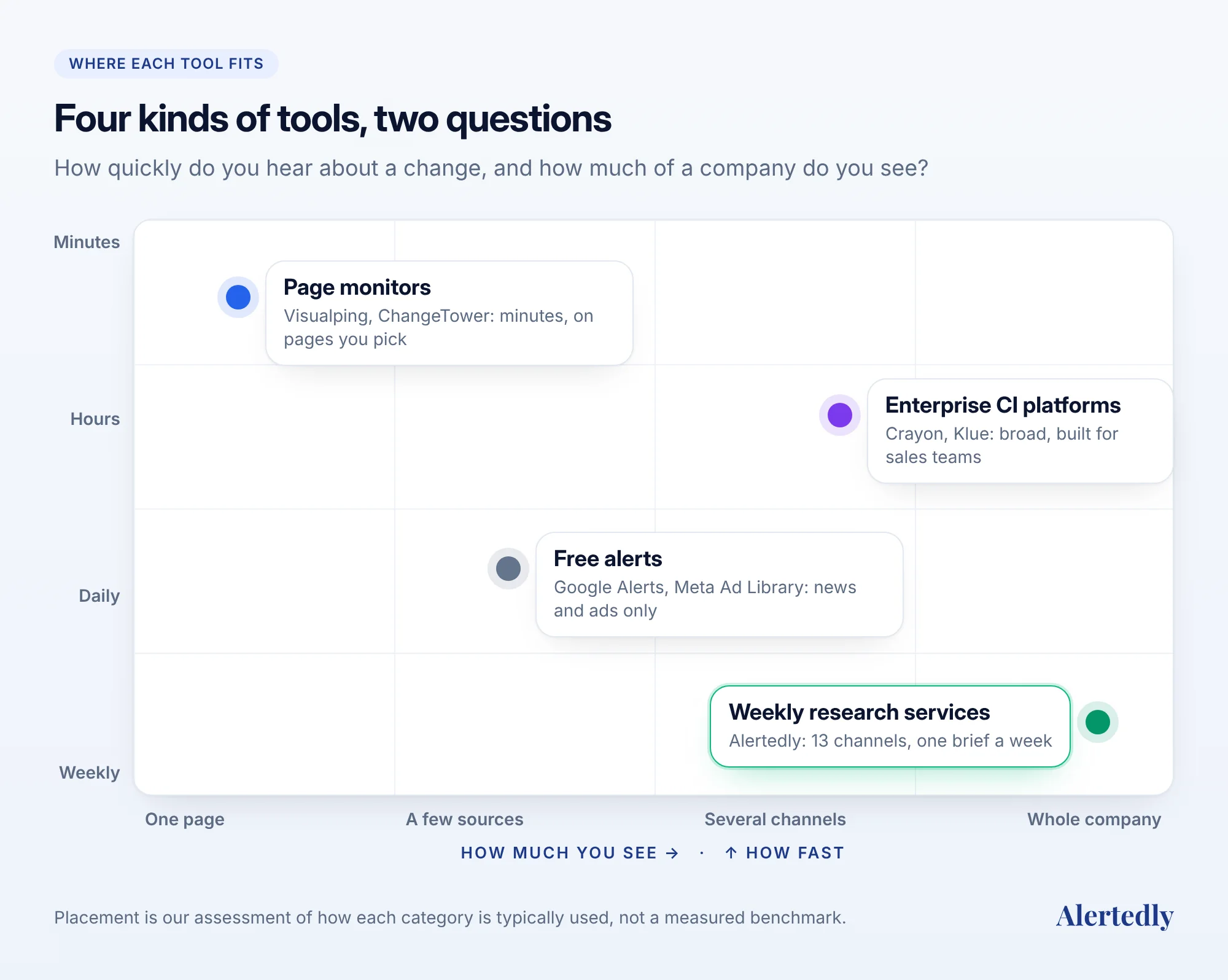
| Type | Examples | Best at | Price signal |
|---|---|---|---|
| Free alerts and libraries | Google Alerts, Meta Ad Library | News mentions, ads | Free |
| Page-change monitors | Visualping, ChangeTower | Speed on specific pages | Free plans; paid from $12–14/month |
| Enterprise CI platforms | Crayon, Klue | Depth for sales teams | Quote; median ~$30k/year |
| Weekly research services | Alertedly | Coverage of whole companies | $199–$499/month |
1. Free alerts and public libraries
Google Alerts emails you when new results for a search term show up in Google Search. You choose how often: as it happens, at most once a day, or at most once a week.1 Set one up for each competitor's name and product names. It costs nothing and catches press releases, funding announcements and coverage.
Meta's Ad Library lets anyone search the active ads a company runs across Facebook, Instagram and Meta's other apps.2 It's the fastest way to see a rival's current messaging and offers, straight from the ads they pay for.
Where they fall short. Google Alerts only sees what Google indexes as new results, so it misses most website edits, changelog entries, job posts and social activity. Name collisions create noise. The Ad Library shows what's running now: outside political and issue ads (kept for seven years) and ads delivered in the EU (kept for a year), there's no archive to compare against, so you have to save screenshots yourself.2 Nothing is summarized or stored as a history. These tools are a good floor, not a system.
2. Page-change monitors
Page monitors load a URL on a schedule and alert you when something on it changes.
- Visualping is the best-known example. Its free plan covers 5 pages with 150 checks a month. Paid personal plans start at $14 a month, and the fastest plans check every 2 minutes. Every plan includes AI change summaries, a REST API and an MCP server (in public beta). Slack alerts are a Business feature, from $140 a month. Change history is kept for three months by default.3
- ChangeTower is a cheaper option when daily or hourly checks are enough. It has a free plan for 3 pages, Lite at $12 a month with daily checks, and Business at $78 a month with hourly checks, Slack, webhooks and MCP.4
Where they win. Speed and precision. If you need to know the moment a competitor's pricing page changes during a launch week, a page monitor is the right tool, and nothing else on this list competes.
Where they fall short. They only watch the pages you choose. They won't tell you that a competitor posted twelve engineering roles, started a new Meta ad campaign, filed a trademark or got torn apart on Reddit unless you already knew which URL to watch. And they report that a page changed, not what the change means alongside everything else the company did that week.
3. Enterprise competitive intelligence platforms
Crayon and Klue are the established platforms for companies with a dedicated competitive intelligence function. They collect competitor activity, then help a team turn it into battlecards, win-loss analysis and enablement content inside the tools sellers already use. Both integrate with Salesforce, HubSpot, Slack, Microsoft Teams, Gong, Highspot and Seismic, and both launched MCP servers in 2025.891011
Neither publishes a price. Crayon asks you to request an estimate "tailored to the needs of your competitive intelligence program";12 Klue's site leads with a demo request.13 Purchase data collected by Vendr shows a median contract of about $30,000 a year for each, based on roughly 100 purchases apiece.56
Where they win. Depth. If you run a CI program for a large sales organization, you need battlecards, CRM integration, win-loss interviews and content governance, and these platforms are built for exactly that.
Where they fall short. Time and cost to start. A demo, a procurement process and an onboarding project are normal, as are annual contracts. For a 10-person startup, or a product marketer who just wants to know what three competitors shipped this month, that's a lot of platform.
4. Weekly research services
The newest group researches whole companies on a schedule and writes up what changed. This is the group Alertedly is in, so here's exactly what it does and doesn't do.
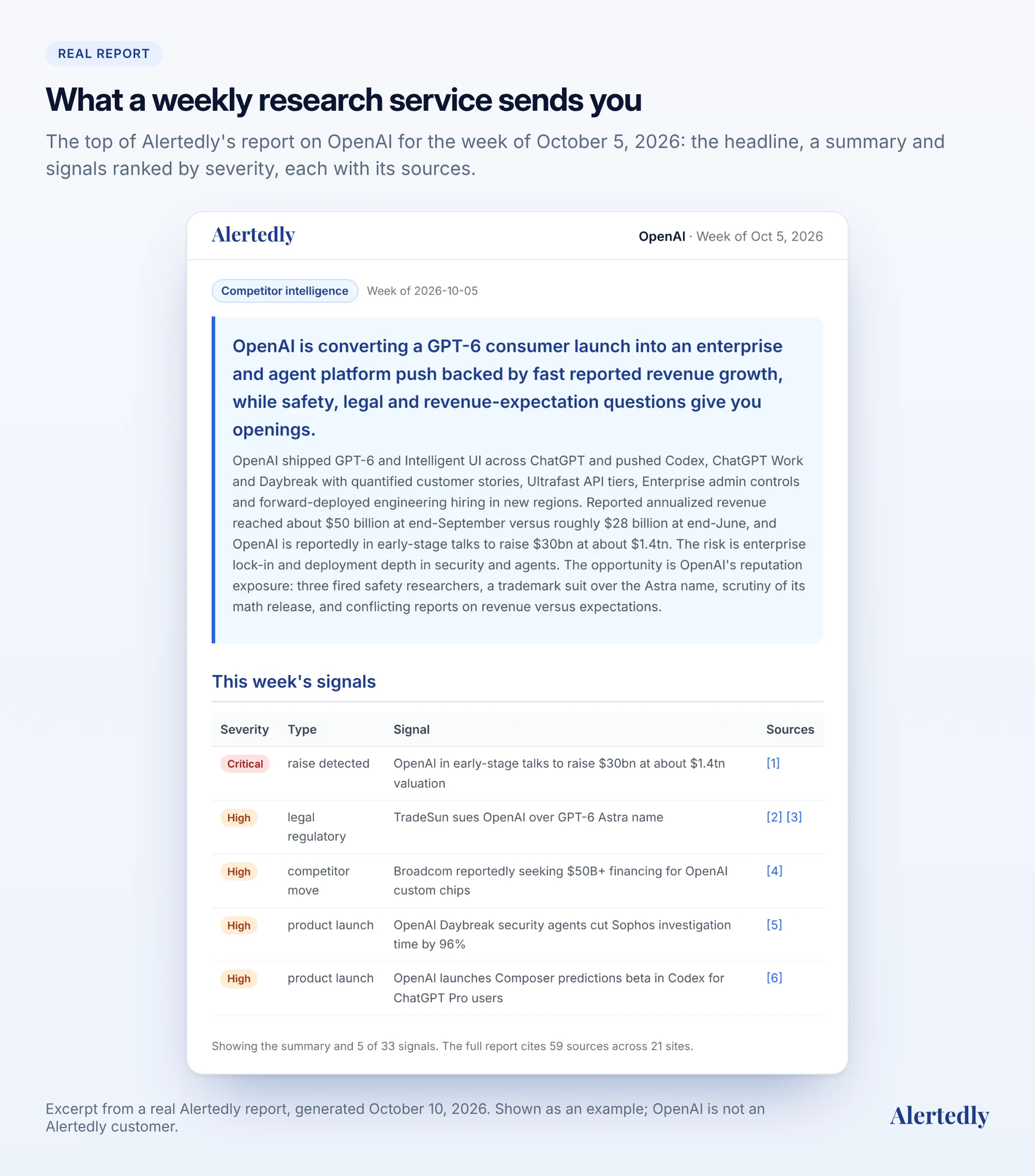
Every week, Alertedly researches each company you track across 13 public channels: news and press, website and blog, changelog, website changes with before-and-after screenshots, LinkedIn, X, Instagram, YouTube, TikTok, careers, Meta ads, Reddit and USPTO trademark filings. It sends a brief per company: what changed, severity-ranked signals (raises, launches, pricing changes, hiring sprees, leadership changes and more) with every claim linked to its source, and recommended moves. Reports are archived, so you can compare any two weeks.
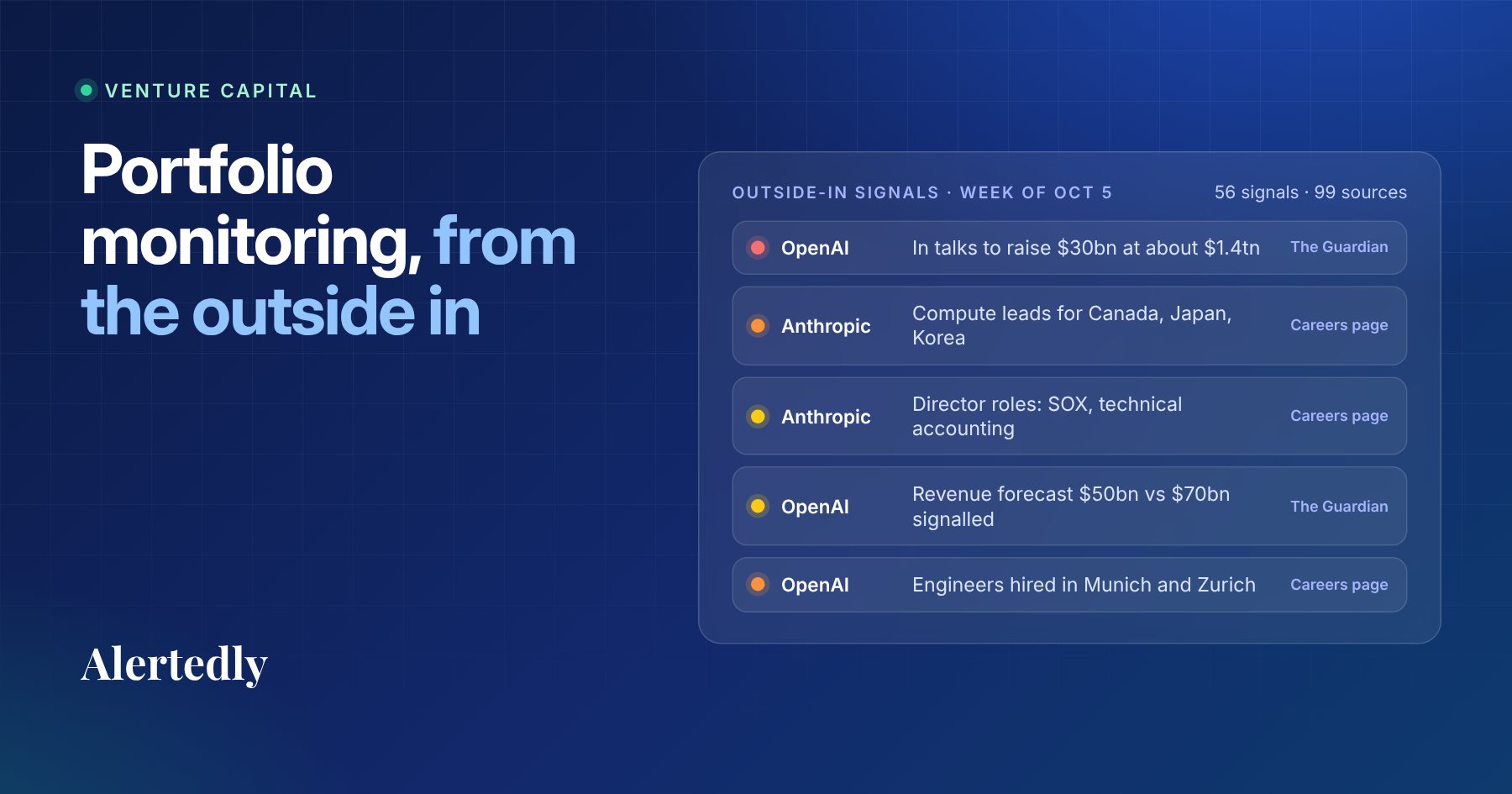
Here's what that looks like in practice: the top of Alertedly's real report on OpenAI for the week of October 5, 2026. The full report had 33 signals and cited 59 sources across 21 sites, from OpenAI's own release notes and job posts to Reuters and The Guardian.
Starter is $199 a month for 5 companies and covers 9 of the 13 channels. Pro is $499 a month for 15 companies and adds careers, Meta ads, Reddit and trademarks, plus Slack delivery and the REST API. Both are month-to-month, and both include email audio summaries, CRM sync with Attio and the MCP server, so you can ask Claude, ChatGPT or Cursor what your competitors did this week and get an answer from your own tracked history.
Where it wins. Coverage without effort. You get the whole picture for each company in one read, every week, and you can start today with a free report on any company.
Where it falls short. It's weekly by design, so it's the wrong tool for minute-by-minute alerts on one page: use a page monitor for that. It doesn't build battlecards or run win-loss programs: use an enterprise platform for that. And for one or two companies you follow casually, free alerts are enough.
Feature comparison
What each tool says it does, from its own pricing and product pages, checked on 14 October 2026. "Not published" means the vendor doesn't state it publicly.
| Tool | What it watches | How often | History kept | Delivery and integrations | Price |
|---|---|---|---|---|---|
| Google Alerts | New Google Search results for a query | As it happens, daily or weekly | None (email only) | Free | |
| Visualping | Pages you choose | Every 60 min (free) to every 2 min | 3 months; up to 1 year on Business | Email, webhooks, API and MCP on all plans; Slack and Teams on Business | Free; from $14/mo; Business from $140/mo |
| ChangeTower | Pages you choose | Daily (Free, Lite); hourly (Essential, Business) | 30 days to 6 months, by plan | Email; Slack, webhooks and MCP on Business | Free; from $12/mo; Business $78/mo |
| Crayon | Websites, pricing, jobs, release notes, reviews, filings, press | Continuous; daily digest | Not published | Salesforce, HubSpot, Slack, Teams, Gong, Highspot, Seismic; API; MCP | Quote; Vendr median ~$30k/yr |
| Klue | Competitor sites and news, plus CRM win-loss and call data | Continuous | Not published | Salesforce, HubSpot, Slack, Teams, Gong, Highspot, Seismic; MCP | Quote; Vendr median ~$30k/yr |
| Alertedly | Whole companies across 13 public channels | Weekly | Every weekly report, archived | Email with audio summary, MCP and Attio CRM sync on all plans; Slack and REST API on Pro | $199/mo (5 companies); $499/mo (15) |
How to choose: start from the decision, not the feature list
The fastest way to pick is to write down the decisions monitoring should feed, then match the tool to how fast and how broadly you need information.
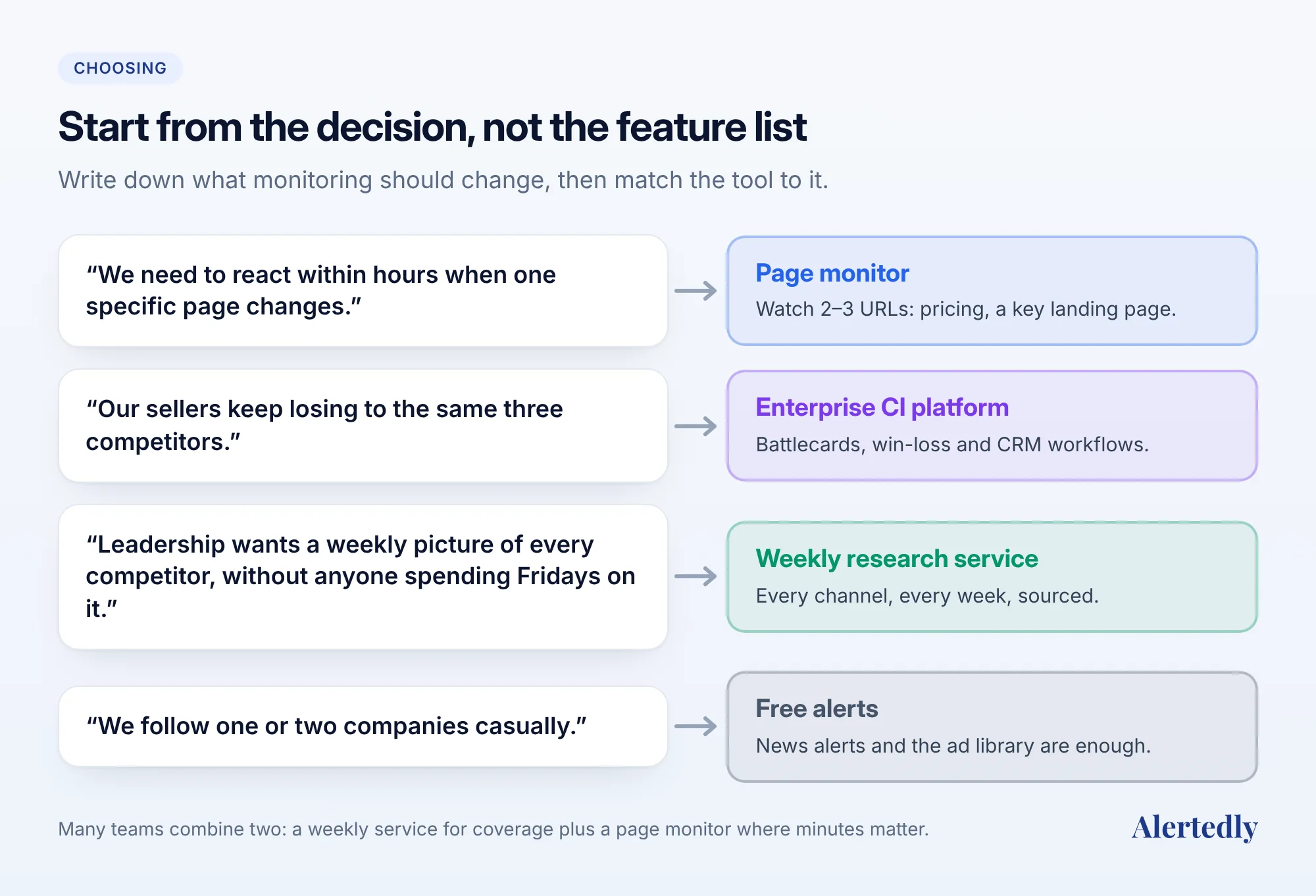
- "We need to react within hours when a specific page changes." Use a page monitor on a short list of URLs: pricing pages, a key landing page, a status page.
- "Our sellers lose deals to the same three competitors and need talk tracks." That's a sales enablement problem. An enterprise CI platform, or a person who owns battlecards, will move the needle more than any alerting tool.
- "Leadership wants to know what competitors are doing, every week, without anyone spending Fridays on it." That's a coverage problem: a weekly research service, or a disciplined manual process if you track one or two companies.
- "We're a VC firm tracking 40 portfolio and 100 dealflow companies." You need coverage at portfolio scale with team access. See our guide to portfolio monitoring for VC firms.
Questions to ask any vendor before you buy
Whichever group you lean toward, these questions separate useful monitoring from noise:
- What exactly do you check, and how often? "We monitor competitors" can mean one page or thirteen channels. Ask for the list.
- Do you show sources? Every claim should link to the page, post, filing or ad it came from. Unsourced summaries can't be forwarded to your CEO with confidence.
- How long do you keep history? Trends (hiring slowing, ad spend shifting, messaging drifting) only show up over weeks and months.
- Can I see it on my own competitors before paying? A free plan, a trial or a sample report on a company you choose tells you more than any demo.
- Where does it reach me? Email, Slack, a dashboard, or your AI assistant through MCP. Monitoring nobody reads is worth nothing.
- What's the contract? Month-to-month or annual, and can you cancel without a call?
A simple setup that works for most startups
If you're a startup tracking 3 to 10 competitors, this is the setup we'd recommend, whether or not you use Alertedly:
- List your competitors and rank them. Three direct competitors you meet in deals, plus a few adjacent ones and new entrants.
- Set up the free floor. A Google Alert per competitor name, and bookmarks to each competitor's page in Meta's Ad Library.
- Add a page monitor to the URLs where speed matters. Usually each direct competitor's pricing page.
- Get a weekly picture of everything else. Either a weekly research service or a 45-minute calendar block with a checklist. Our practical guide to tracking competitors includes the checklist we use.
- Decide where it lands. One Slack channel or one weekly email that the team actually reads, with a named owner who turns it into decisions.
The bottom line
There is no single best competitor monitoring tool, because the category covers three different jobs. Page monitors are unbeatable for speed on specific pages. Enterprise platforms are built for depth inside large sales teams. Weekly research services give you coverage of whole companies at a startup price.
If coverage is your problem, see what a week of Alertedly looks like on a competitor you care about: request a free report, or compare plans on the pricing page. For a side-by-side table, see our comparison page.
Frequently asked questions
- What is a competitor monitoring tool?
- Software that watches public information about other companies (websites, pricing pages, news, social media, job posts, ads) and tells you when something changes, so you don't have to check by hand.
- What is the best free competitor monitoring tool?
- For news, Google Alerts is free and takes a minute to set up. For a few specific pages, Visualping's free plan covers 5 pages with 150 checks a month, and ChangeTower's free plan covers 3 pages. For ads, Meta's Ad Library is free. Together they cover a lot, but you read, connect and record everything yourself.
- How much do competitive intelligence platforms cost?
- Crayon and Klue don't publish prices. Vendr's buyer data shows a median of about $30,000 a year for each (ranges roughly $12,700–$46,000 for Crayon and $16,000–$60,000 for Klue). Self-serve tools range from free page monitors to Alertedly at $199 or $499 a month.
- How often should I check on competitors?
- Weekly is enough for most teams. Pricing, positioning, hiring and launches rarely need a same-hour response, and a weekly rhythm turns monitoring into a habit instead of a stream of interruptions. Use minute-level alerts only for pages where minutes matter, such as a competitor's pricing during a launch.
- Can an AI assistant monitor competitors for me?
- A general chatbot can summarize what it finds today, but it doesn't keep a record of what changed week to week. Several monitoring tools now offer an MCP server (Alertedly, Crayon, Klue, Visualping in beta, and ChangeTower on its Business plan), which lets assistants such as Claude and ChatGPT answer from tracked history with sources.
Sources
- Create an alert, Google Search Help; Google Alerts, Google. ↩
- Ad Library tools, Meta Transparency Center; Meta Ad Library, Meta. ↩
- Visualping plans and pricing, Visualping, accessed 14 October 2026. ↩
- ChangeTower pricing, ChangeTower, accessed 14 October 2026. ↩
- Crayon software pricing, Vendr buyer data, accessed 14 October 2026. ↩
- Klue software pricing, Vendr buyer data, accessed 14 October 2026. ↩
- The State of Competitive Intelligence 2026, Crayon, 2026. ↩
- Crayon integrations, Crayon, accessed 14 October 2026. ↩
- Klue integrations, Klue, accessed 14 October 2026. ↩
- Crayon launches the first competitive intelligence MCP server, Crayon, 2025. ↩
- Introducing the Klue MCP server, Klue, 2025. ↩
- Crayon pricing inquiry, Crayon, accessed 14 October 2026. ↩
- Get a Klue demo, Klue, accessed 14 October 2026. ↩